Thoughtful photo cleanup

Your camera roll,
with room to breathe.

CleanSwype turns an overwhelming library into one easy decision at a time. Keep, favorite, organize, or mark for deletion—with a swipe.

See it in action ↓

Coming soon to iPhone & iPad

On-device analysisNo accountYou confirm deletion
Abstract instant-photo prints, coffee, and a notebook on a sunlit oak table
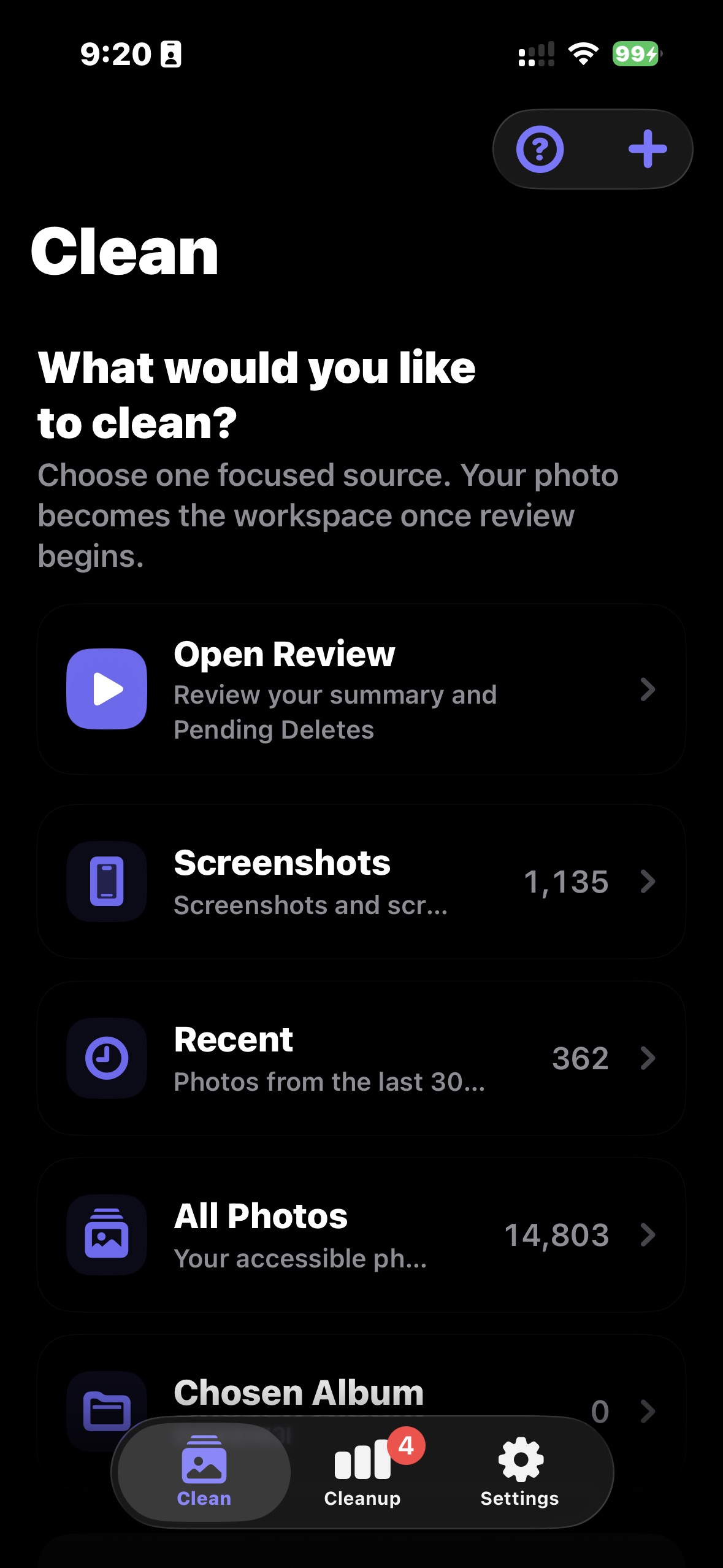
CleanSwype Clean screen on iPhone
Your library, your paceChoose one focused source.
←
Safe by defaultA swipe never deletes immediately.
Keep what matters✦Clear what doesn’t✦Stay in control✦Keep what matters

One photo at a time

Four directions.
Zero guesswork.

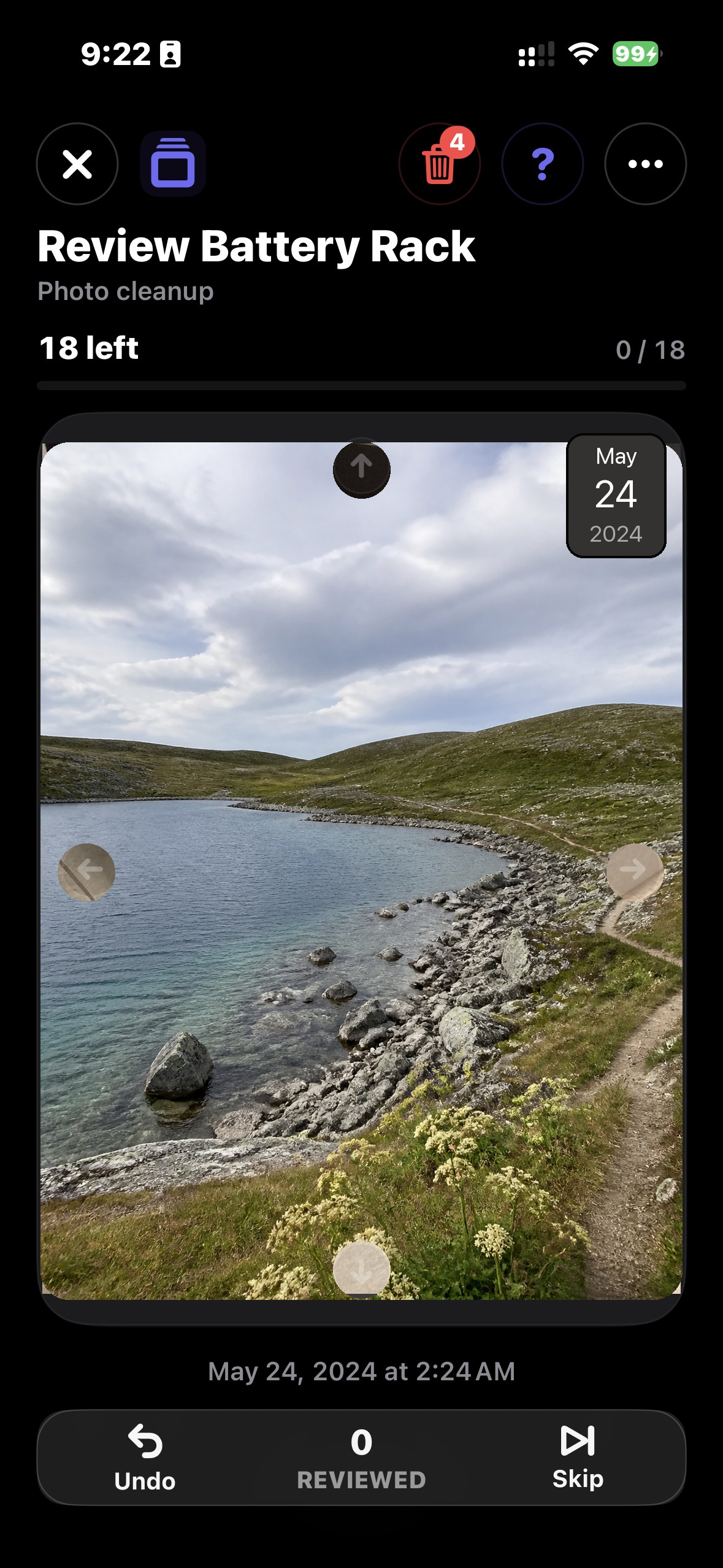
Photo cleanup becomes lighter when every gesture has a purpose. CleanSwype keeps the photo at the center and the controls easy to remember.
Soft linen and morning shadows
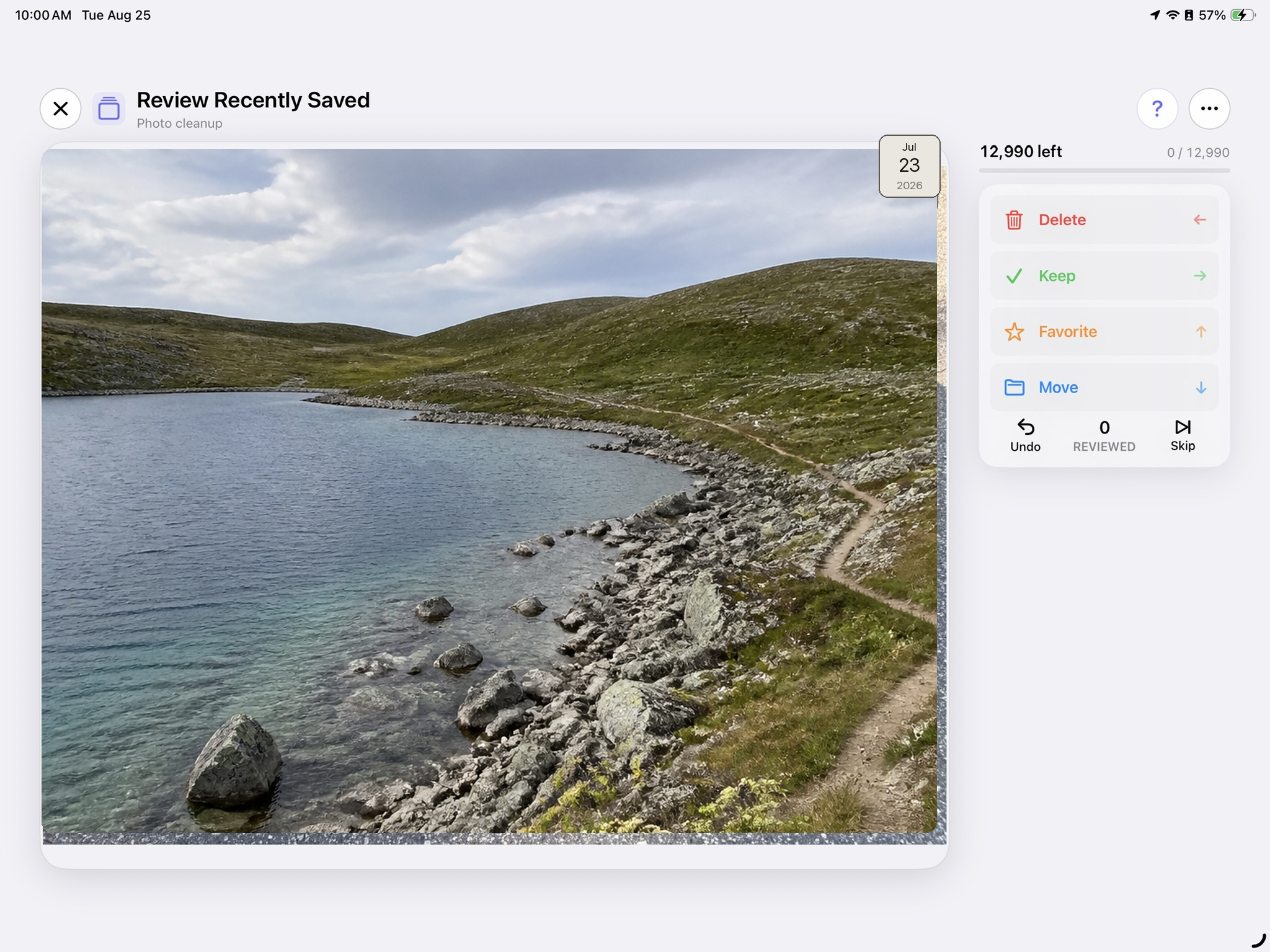
CleanSwype photo review on iPad
← Delete↑ Favorite→ Keep↓ Organize
01

Pick a focus.

Start with screenshots, recent photos, an album, or everything you can access.

02

Swipe with purpose.

Left to mark for deletion. Right to keep. Up to favorite. Down to organize.

03

Confirm when ready.

Marked photos wait in Pending Deletes until you review and approve them.

More signal, less noise

Find the clutter
worth tackling.

Private, on-device analysis helps surface useful groups without sending your photo library to a CleanSwype service.

Smart Collections

Find a useful place to begin.

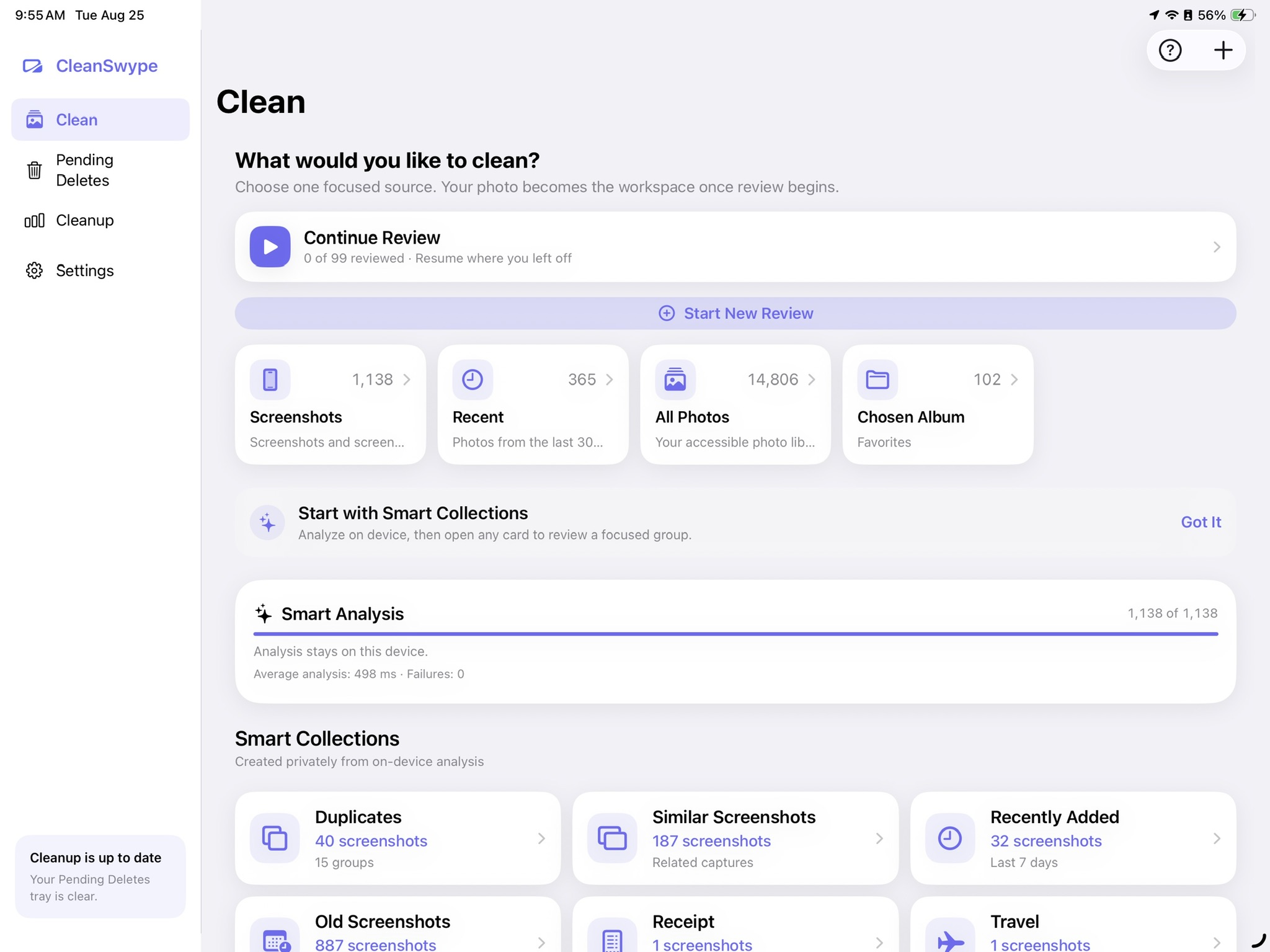
On-device analysis turns patterns in your library into focused review queues, so you can tackle one kind of clutter at a time.
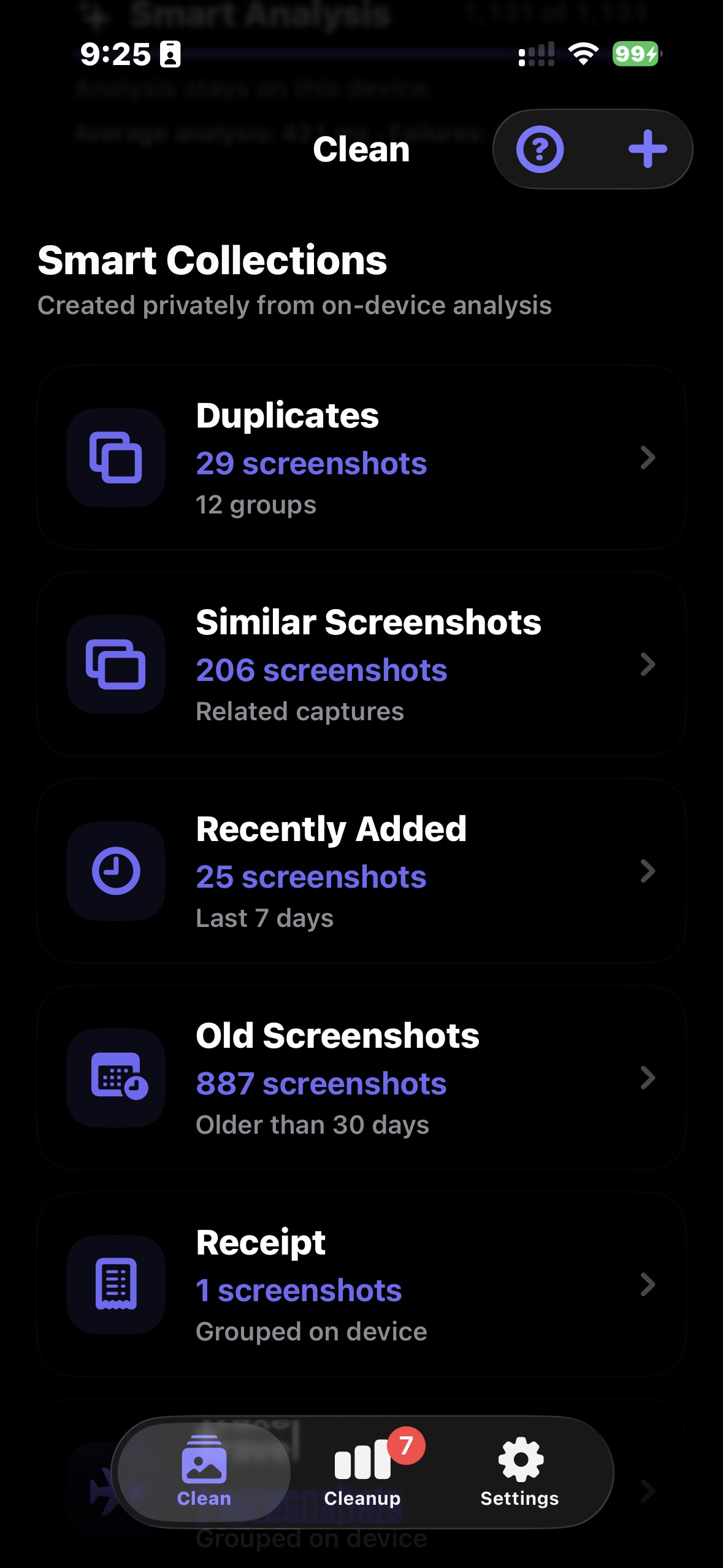
  • Group duplicates and visually similar screenshots
  • Surface receipts, tickets, QR codes, maps, travel, and more
  • Start a focused review from any collection
CleanSwype Smart Collections screen showing duplicate, similar, recent, and older screenshot groups
Deletion safety

Nothing disappears on a swipe.

Mark photos without removing them straight away. CleanSwype keeps the final choice separate from the gesture.
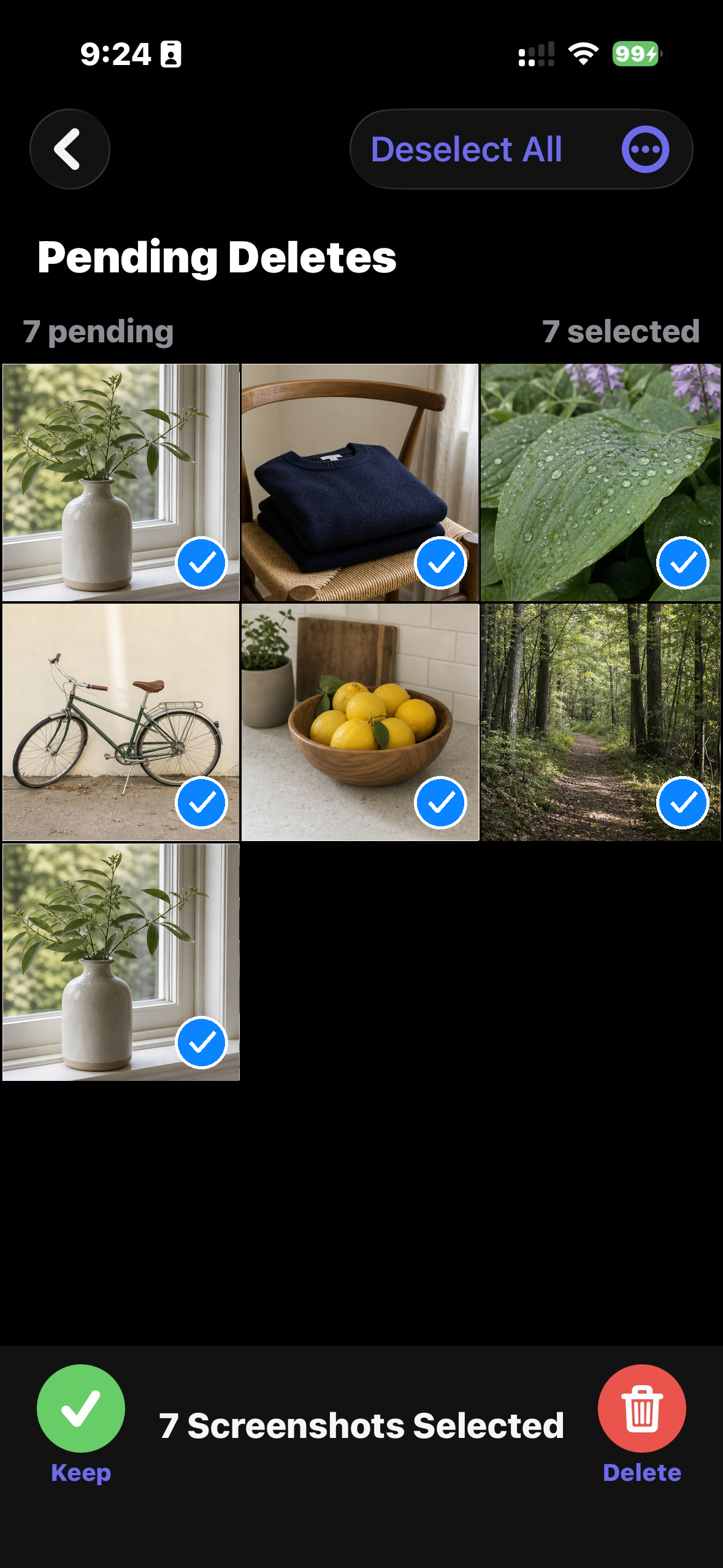
  • Review every marked photo in Pending Deletes
  • Keep individual items before you confirm
  • Approve the final deletion in Apple’s system dialog
CleanSwype Pending Deletes screen showing seven selected photos and separate Keep and Delete actions
Cleanup insights

See the progress you’ve made.

Follow real cleanup activity and pending work without sending your history off your device.
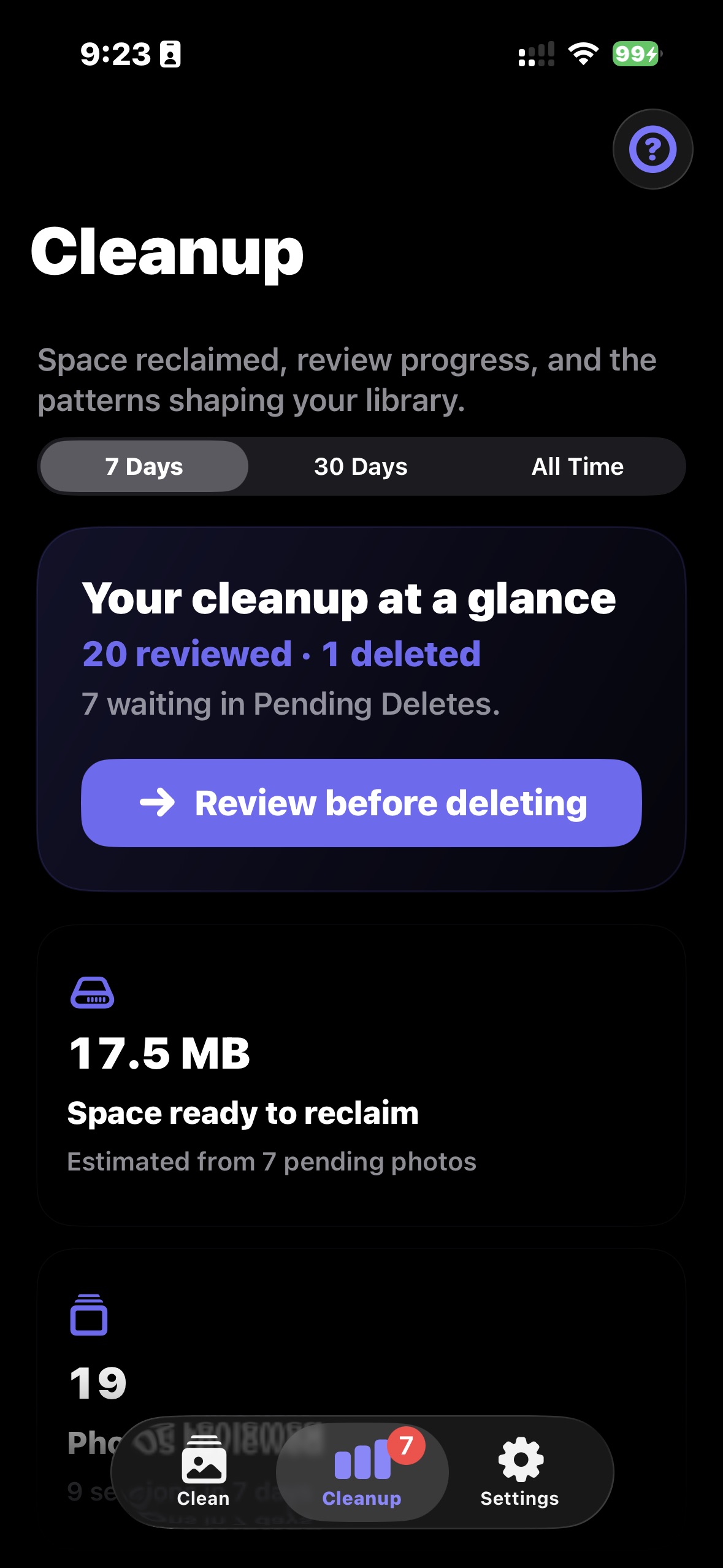
  • Switch between 7-day, 30-day, and all-time views
  • See reviewed, deleted, and pending totals at a glance
  • Estimate the space ready to reclaim
CleanSwype Cleanup screen showing seven-day progress, reviewed and deleted totals, and estimated space ready to reclaim

iPhone and iPad

Comfortable on every screen.

Move quickly on iPhone or spread out on iPad. The same deliberate review flow adapts to the space in your hands.
4 clear actions1 final confirmation0 photo uploads
Sunlit oak table with abstract photo prints
CleanSwype Clean dashboard on iPad
CleanSwype review on iPhone

Privacy by design

Your photos are personal.
They stay that way.

CleanSwype uses Apple’s on-device frameworks. There’s no CleanSwype account, no advertising tracker, and no CleanSwype service uploading your photo library.

✓ Optional analysis stays on device✓ No ads or tracking✓ Limited Photos access supported✓ You approve every deletion
Read our privacy promise →

Make room for what matters

A calmer camera roll
is a few swipes away.

CleanSwype is preparing for the App Store on iPhone and iPad.

Keep me posted ↗